
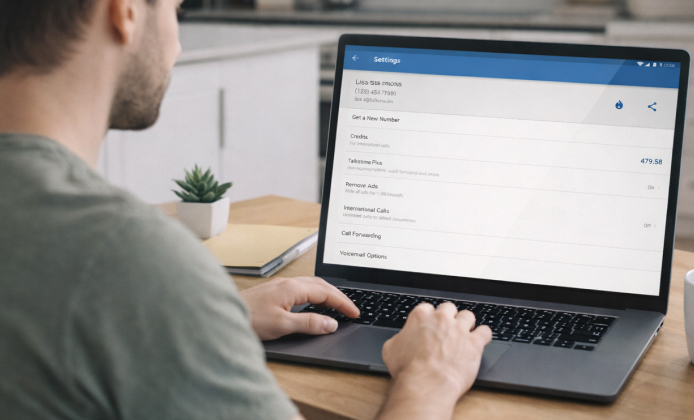
Staying current with communication apps matters for call quality, security patches, and day-to-day reliability, and most users notice the difference after a smooth update. If you’re looking to download Talkatone latest version safely, the best approach is to use official sources and a quick checklist before you sign in.
Why Updating Talkatone Is Worth It
New releases commonly improve connection stability, reduce dropped calls, and address bugs that only appear on specific devices or OS builds. Many updates also refine notifications, background behavior, and battery usage so you can keep receiving messages without draining your phone.
- Security: patches for vulnerabilities and safer account handling.
- Performance: fewer crashes, faster launch time, smoother calling.
- Compatibility: better support for recent iOS/Android versions.
- Features: UI tweaks, improved onboarding, and settings refinements.
A simple habit helps: update, test a quick call, then confirm notifications still work the way you want.
How to Get the Update
For iPhone or iPad, open the App Store, go to your profile page, and check the pending updates list. On Android, use Google Play, open “Manage apps & device,” and update from there to reduce the risk of modified APKs or fake installers.
When you want the latest version of Talkatone on a shared device, make sure the system date/time is correct and the store account is in good standing, because store restrictions can hide updates.
Quick Pre-update Checklist
- Confirm you have a stable Wi-Fi or reliable mobile connection.
- Free up a little storage space (apps often need extra room during installation).
- Update your device OS if it’s significantly behind.
- Write down important account details if you rarely sign in.
Verify You’re Actually on the Newest Build
Inside the app settings (or the store listing), you’ll usually see a version number compare it to what your store shows for the installed app. If the store shows an update but it won’t install, a restart and clearing store cache (Android) often resolves stuck downloads. If you’re troubleshooting a mismatch, the Talkatone app latest version should appear as “Open” (not “Update”) after the installation finishes and the app relaunches at least once.
Update Button Is Missing
- Search for the app directly in the store instead of relying on the updates list.
- Check whether your device OS supports the most recent release.
- Sign out and back into your store account (only if you know your credentials).
Download Starts, Then Fails
- Toggle airplane mode on/off to refresh the network.
- Switch from mobile data to Wi-Fi (or vice versa).
- Ensure you have enough storage for the install process.
App Opens but Behaves Strangely After Updating
- Force close the app and reopen it.
- Re-check microphone and notification permissions.
- Restart the device to clear temporary OS-level issues.
Safe Download Habits: What to Avoid
Third-party mirrors can bundle unwanted adware or deliver older builds that look new, so it’s smarter to stick to official distribution channels. When you see posts offering a Talkatone latest version download as a direct file, treat them as higher risk unless they clearly route through a trusted store listing.
What Free Really Means and What to Check
Many users prefer no-cost installs, but “free” can mean different things depending on your plan, region, or usage expectations. Before you proceed, read the app’s store description, check any in-app purchase notes, and confirm how calling and messaging are billed.
For a cautious approach, Talkatone download latest version should be done through your platform’s official store, then you can review permissions and privacy prompts at first launch.
At-A-Glance Guide
| Task | iOS (App Store) | Android (Google Play) | Best practice |
|---|---|---|---|
| Check for updates | Profile → Updates | Manage apps & device | Use store search if it doesn’t show |
| Fix stalled install | Restart device | Clear Play Store cache | Confirm storage and network stability |
| Post-update check | Permissions in Settings | Permissions in App info | Test call + verify notifications |
Mini FAQ
- Can I update without losing my number or messages? Most updates keep your data intact, but it’s wise to confirm you can sign in again and that any verification method you use is accessible.
- What if my device is too old? If your OS can’t run the newest build, consider updating the OS (if supported) or using a compatible device to avoid stability issues and security gaps.
- Is it really free? Whether Talkatone latest version free to download applies to you depends on the store listing and your region, so review the pricing and in-app purchase section before installing.
Final Tips for a Smooth Experience
Update from official stores, verify permissions after install, and run a quick test call to confirm audio routing and notifications. If something feels off, a restart and a clean network connection usually solve most problems without extra steps.


 Talkatone Install Guide: Get Set Up Fast on Windows PC
 Talkatone on PC: Practical Ways to Call and Text Comfortably from PC
 Talkatone APK: Free Calls and Messages Over Wi-Fi
 Talkatone Latest Version: What’s New, How to Update, and How to Stay Secure
 What Is Talkatone App and How to Use It?
 Best Apps Similar to Talkatone